
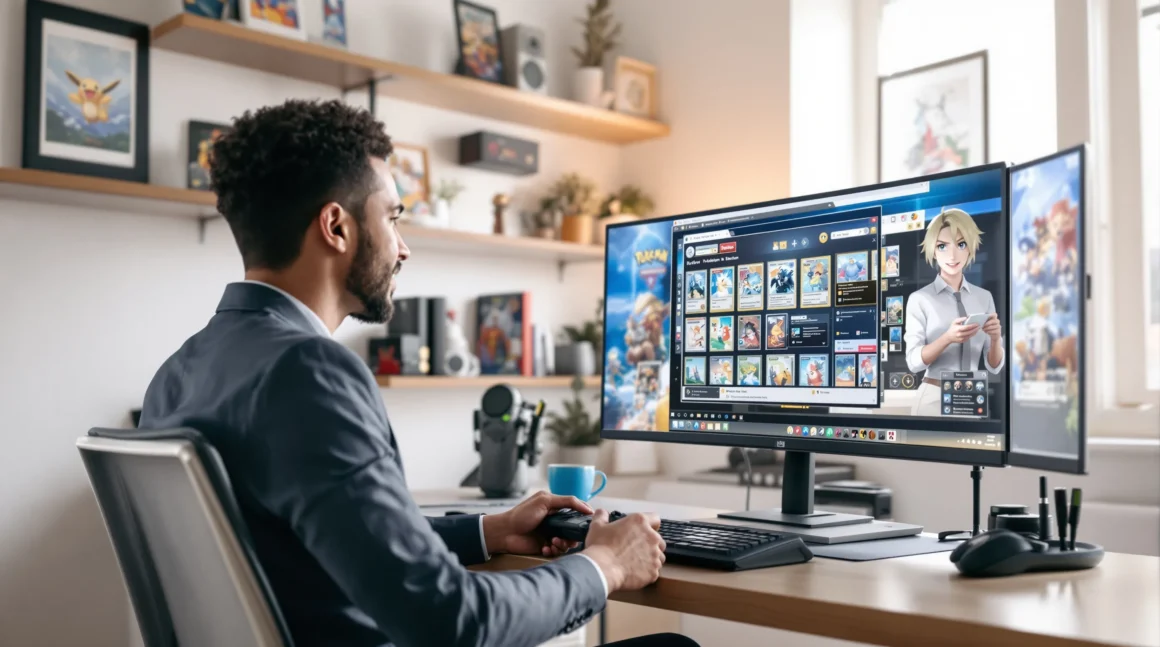
Picture this: It’s midnight, your old Game Boy is buried in a box somewhere, and you’re itching to catch a Bulbasaur. You wonder, can you play Pokémon on PC? You’re not alone. Millions have asked the same thing, and the answer might surprise you. Whether you’re chasing nostalgia or just want to see Pikachu in high-res, there’s a way. But it’s not as simple as downloading an app and calling it a day. Here’s everything you need to know—no jargon, just real talk.
Why People Want to Play Pokémon on PC
If you’ve ever tried to play Pokémon on PC, you know the struggle. Maybe your handheld console broke, or you want to stream your gameplay. Maybe you just want to relive the magic of Pokémon Red without squinting at a tiny screen. The reasons are personal, but the goal is the same: play Pokémon on PC, and do it well.
Is It Legal to Play Pokémon on PC?
Here’s the part nobody tells you: playing Pokémon on PC sits in a gray area. Nintendo hasn’t released official Pokémon games for PC, except for a few spin-offs like Pokémon Trading Card Game Online and Pokémon Unite. If you want to play the classic mainline games, you’ll need an emulator and a ROM. Emulators are legal, but downloading ROMs of games you don’t own isn’t. If you own a physical copy, you can make a backup for personal use. But if you’re downloading random files from the internet, you’re taking a risk. Always check your local laws before you start.
How to Play Pokémon on PC: The Basics
Let’s break it down. To play Pokémon on PC, you need two things:
- An emulator (software that mimics a console)
- A ROM (a digital copy of the game)
Think of the emulator as your virtual Game Boy or Nintendo DS. The ROM is the game cartridge. Put them together, and you’re ready to play Pokémon on PC. But which emulator should you use? Here’s a quick guide:
Best Emulators for Pokémon Games
- Game Boy/Game Boy Color: VisualBoyAdvance (VBA) is the go-to. It’s free, lightweight, and works on almost any PC.
- Game Boy Advance: mGBA offers better accuracy and more features than VBA. It’s great for Pokémon FireRed, Emerald, and LeafGreen.
- Nintendo DS: DeSmuME is the most popular. It runs Pokémon Diamond, Pearl, Platinum, HeartGold, and SoulSilver smoothly.
- Nintendo 3DS: Citra is your best bet. It can handle Pokémon X, Y, Sun, Moon, and Ultra versions, but you’ll need a decent PC.
- Nintendo Switch: Yuzu and Ryujinx are still in development, but they can run Pokémon Sword and Shield if your hardware is strong enough.
Each emulator has its quirks. Some need extra files, like BIOS images. Others have settings you’ll want to tweak for the best experience. Don’t be afraid to experiment—half the fun is figuring out what works for you.
Where to Get Pokémon ROMs (And Why It’s Tricky)
If you’re searching “can you play Pokémon on PC,” you’ll find endless sites offering ROMs. Here’s the truth: most of them aren’t legal. The safest way is to dump your own ROMs from cartridges you own. There are guides online for this, but it takes patience and a bit of tech know-how. If you’re not comfortable, you might want to stick with official PC Pokémon games instead.
Official Pokémon Games You Can Play on PC
Not all hope is lost if you want to play Pokémon on PC without emulators. Nintendo has released a few official titles:
- Pokémon Trading Card Game Online: Free to play, and surprisingly addictive. Build decks, battle friends, and relive the classic card game.
- Pokémon Unite: A fast-paced MOBA with your favorite Pokémon. Available on PC through Android emulators like Bluestacks, or natively on mobile.
- Pokémon Café ReMix: A puzzle game that’s cute and casual. Playable on PC with emulators.
These aren’t the classic RPGs, but they scratch the Pokémon itch. If you’re after the mainline games, though, you’ll need to use emulators.
Tips for the Best Pokémon PC Experience
Here’s where things get interesting. Playing Pokémon on PC isn’t just about getting the game to run. It’s about making it feel right. Here’s what I’ve learned after years of trial and error:
- Use a controller: Most emulators let you map controls to a gamepad. It feels way better than a keyboard.
- Save states: Emulators let you save anywhere. Use this power wisely—don’t ruin the challenge for yourself.
- Upscale graphics: Some emulators can boost resolution and add filters. Pokémon Emerald never looked so good.
- Try ROM hacks: The fan community has created wild new adventures. Ever wanted to play as Team Rocket? Now you can.
- Back up your saves: Nothing hurts more than losing a shiny you spent hours hunting.
If you’ve ever struggled with emulator settings, you’re not alone. I once spent an hour trying to fix audio lag, only to realize my laptop was in battery saver mode. Don’t be afraid to ask for help—Reddit and Discord are full of friendly fans.
Who Should (and Shouldn’t) Play Pokémon on PC?
If you love tinkering, customizing, and exploring every corner of a game, playing Pokémon on PC is for you. You’ll get features you never had on the original consoles, like fast-forwarding through grinding or experimenting with mods. But if you want a plug-and-play experience, or you’re worried about legal gray areas, you might be happier with official releases on Switch or mobile.
What About Online Play and Trading?
Here’s the catch: most emulators can’t connect to Nintendo’s online services. Some fan projects, like Pokémon Showdown or fan-made servers, let you battle and trade online, but it’s not the same as the real thing. If trading with friends is your favorite part, you’ll need to get creative—or stick with official games.
Final Thoughts: Can You Play Pokémon on PC?
So, can you play Pokémon on PC? Absolutely. But it takes a little effort, a dash of curiosity, and a willingness to learn. The payoff is huge: you get to relive your favorite adventures, discover new ones, and see Pokémon in a whole new light. If you’re ready to dive in, start with a trusted emulator, use your own ROMs, and don’t be afraid to ask for help. The world of Pokémon on PC is bigger than you think—and it’s waiting for you.