
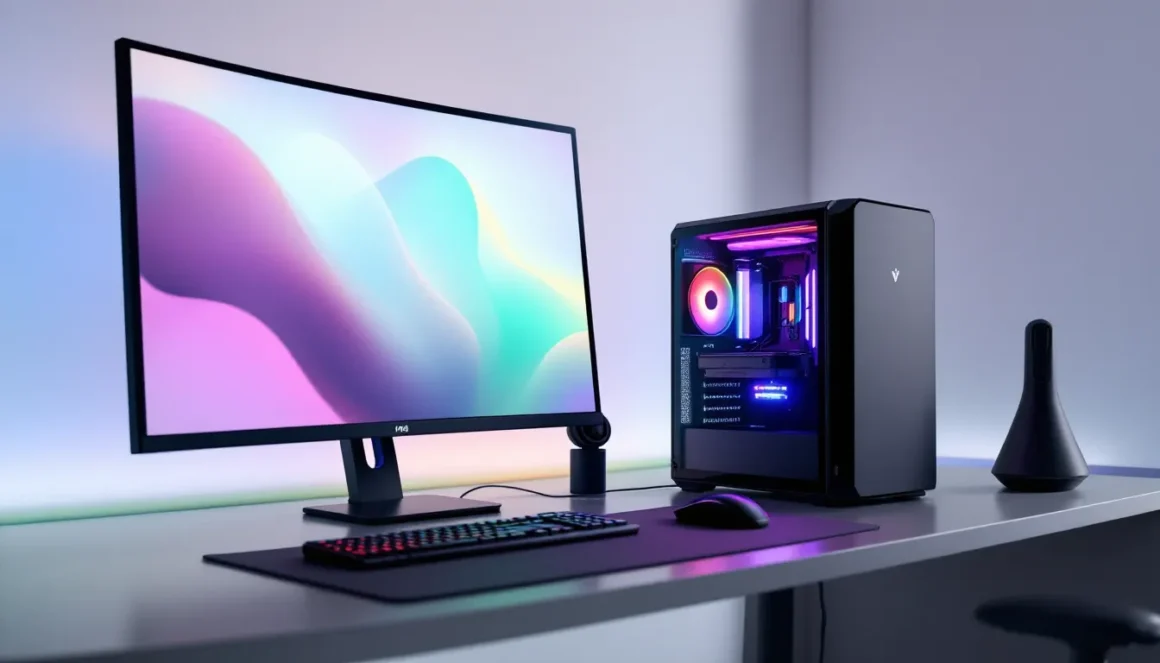
Finding a gaming PC that won’t drain your wallet is easier than it’s ever been in 2026. The hardware market has evolved dramatically, budget components now deliver performance that would’ve cost double five years ago. Whether you’re stepping into PC gaming for the first time, grinding competitive esports titles, or just want a reliable machine without premium pricing, an inexpensive gaming PC can absolutely get the job done.
The trick isn’t finding a cheap PC. It’s finding the right cheap PC that matches your actual needs, whether you’re targeting 1080p 144Hz in esports games or 1440p 60fps in modern AAA titles. This guide breaks down the current landscape of budget gaming PCs in 2026, covers what’s worth buying pre-built versus building yourself, and shows you exactly how to avoid the common pitfalls that leave gamers disappointed.
Key Takeaways
- An inexpensive gaming PC under $1,500 can deliver real gaming performance, with budget systems ranging from $300–$500 for 1080p gaming, $500–$1,000 for 1440p capability, and $1,000–$1,500 for high-refresh 1440p territory.
- The GPU is the most critical component for gaming performance—prioritize allocating 40–50% of your budget to a quality graphics card like RTX 4060, RTX 4060 Ti, or RTX 4070 rather than overspending on the CPU.
- Pre-built gaming PCs offer better value for budget-conscious buyers who lack building experience, eliminating assembly risk and providing manufacturer labor warranty coverage for roughly a $150 markup.
- A reliable power supply with 80+ Gold efficiency rated at 750W minimum is non-negotiable; sketchy PSUs cause throttling, crashes, and component failure regardless of other specs.
- Budget gaming systems paired with practical upgrades—16GB RAM, 512GB+ NVMe storage, and current GPU drivers—stay relevant for 2–4 years and handle modern AAA games at 1440p 60fps or esports titles at 144+ fps.
- Common mistakes like prioritizing CPU over GPU, skipping SSD upgrades, and ignoring peripheral costs (monitor, keyboard, mouse) undermine the value proposition of an inexpensive gaming PC.
Understanding Budget Gaming PC Tiers and Performance Expectations
What Defines an Inexpensive Gaming PC
An inexpensive gaming PC in 2026 means different things depending on your perspective. For this guide, we’re talking about systems under $1,500, that sweet spot where you get real gaming performance without corporate-level pricing. But “inexpensive” doesn’t mean compromised.
At the absolute bottom tier, you’re looking at $300–$500 machines. These handle esports titles and older AAA games comfortably but struggle with newer 3A releases at high settings. Mid-range ($500–$1,000) systems are the workhorses of budget gaming, they’ll run almost everything at 1080p or 1440p with solid frame rates. The $1,000–$1,500 tier pushes closer to high-refresh 1440p and even entry-level 4K territory.
One critical point: an inexpensive gaming PC isn’t a stripped-down office machine. It needs a dedicated GPU, enough RAM to avoid bottlenecks, and a power supply that won’t catch fire. Cutting corners on these kills the entire value proposition.
Performance vs. Price: Finding Your Sweet Spot
Performance metrics matter here, exact specs, not marketing promises. When you’re comparing budget systems, you’re looking at real trade-offs. A $600 PC might have a solid CPU but a weaker GPU, which tanks gaming performance since the GPU matters most for frame rates.
The 1080p 60fps threshold is the classic entry point. Most modern games hit this comfortably on budget hardware. Competitive esports players often aim for 1080p 144Hz (requiring a stronger GPU) since frame smoothness directly impacts aim and reaction times in games like Counter-Strike 2 or Valorant. Higher resolutions (1440p, 4K) demand exponentially more GPU power and cost.
Your actual performance expectations should align with your monitor. There’s no point buying a PC that can push 144fps if you’re playing on a 60Hz monitor, you’re leaving performance on the table. Similarly, targeting 4K gaming on a $800 budget is setting yourself up for disappointment.
Pre-Built Budget Gaming PCs Worth Your Money
Entry-Level Gaming PCs (Under $500)
Under $500, you’re buying a capable 1080p machine. These typically pair an AMD Ryzen 5 5500 or Intel Core i5-12400F with an RTX 3060 or RX 6600. That’s enough for 60fps in most current games at high settings, and 100+ fps in esports titles.
The risk at this price point is sketchy power supplies or inadequate cooling. Watch for systems with 450W PSUs paired with power-hungry components, they’ll throttle under load. Reputable budget brands like MSI Codex, ASUS Vivobook Gaming, and Dell G15 usually get this right.
StorageMatters: These machines often ship with 256GB SSDs, which fills up fast. Budget for adding a second drive if you plan to keep multiple modern games installed.
Mid-Range Gaming PCs ($500–$1,000)
This is where the value multiplier kicks in. At $700–$900, you’re looking at Ryzen 7 5700X or Intel Core i7-12700 systems with RTX 4060 Ti or RX 6700. Real 1440p gaming becomes viable, plus solid 144+ fps in esports games.
Manufacturers like Corsair, Alienware m15, and Skytech dominate this tier. The Power of SkyTech, and that’s what you want here, solid components, decent cooling, room to upgrade.
Look for 16GB RAM (standard now) and at least 512GB NVMe storage. These systems stay relevant for 2–3 years without upgrades.
High-Value Gaming PCs ($1,000–$1,500)
In this bracket, you’re getting into 1440p 144Hz territory, and occasionally high refresh 1080p gaming. Expect Ryzen 7 7700X or Intel Core i9-13900KF paired with RTX 4070 or RTX 4070 Super. These machines handle modern AAA titles at high/ultra settings.
Best Prebuilt Gaming PC as the real sweet spot for long-term gaming. You’re at the threshold where building custom becomes attractive, but quality pre-builts at this price eliminate assembly hassle.
Key Components to Prioritize for Budget Gaming Systems
CPU Selection for Gaming on a Budget
The CPU paradox in budget gaming: it matters way less than most gamers think, but buying wrong still cripples performance. In 2026, a Ryzen 5 5500 or Core i5-12400F handles virtually any game without bottlenecking a mid-range GPU. These aren’t flashy, but they work.
Where people get stuck: investing in a top-tier CPU like an i9 while pairing it with a weak GPU. That’s backward. A $150 CPU with a $400 GPU will outgame a $400 CPU with a $150 GPU in almost every scenario.
For budget builds, aim for CPUs from the last 2–3 generations. Older chips (like Ryzen 5000 or 12th-gen Intel) are cheap now and still crush current games. Avoid absolute budget basement chips, the difference between a Ryzen 3 and Ryzen 5 is $30, but the performance gap is 15–20%.
GPU: The Most Important Gaming Component
This is the engine. Period. The GPU determines frame rates, resolution ceiling, and visual quality more than any other single component. On a $800 budget, if $500 isn’t going to the GPU, you’re misallocating.
In 2026, RTX 4060 and RX 6600 are the entry-level baseline for real gaming. RTX 4060 Ti or RX 6700 handle 1440p smoothly. RTX 4070 or RTX 4070 Super push high refresh 1440p and entry 4K.
A quick reality check: older high-end GPUs (like RTX 3080 from 2020) might be cheaper used, but they’re power hogs and lack modern encoding/DLSS features. A newer mid-range card beats an old high-end card in real-world gaming. Tom’s Hardware reviews consistently even when the raw specs look similar to older chips.
RAM, Storage, and Power Supply Considerations
RAM: 16GB is the minimum for 2026 gaming. Games are eating more VRAM as engines advance. 32GB is overkill for pure gaming but reasonable if you’re doing streaming or content creation.
Storage: 512GB NVMe is the baseline, but modern AAA games eat 150–200GB each. A 1TB drive means 4–5 big titles installed. Budget builds often cheap out here, don’t let them. Add a second 1TB NVMe drive ($50–60) if the system ships with 512GB.
Power Supply: This is where corners get dangerously cut. A 650W 80+ Bronze PSU paired with a RTX 4070 is asking for trouble under sustained load. Aim for 80+ Gold efficiency and 750W minimum if your GPU is RTX 4070 or stronger. Essential Components for Building as non-negotiable, and that’s correct.
A sketchy PSU doesn’t just risk failure, it ruins components when it dies.
Building Your Own Gaming PC vs. Pre-Built Systems
Advantages of Custom Building
Building nets you 10–15% cost savings on average. You control every component, which matters if you have specific preferences (silent cooling, RGB, specific brands). You also understand your system intimately, upgrades and repairs aren’t mysteries.
The real edge: education. Building teaches you how hardware works, why bottlenecks happen, and how to troubleshoot issues. That knowledge saves money long-term.
The downside? Time investment. Building takes 2–4 hours if you’re careful, plus research time beforehand. You also lose pre-built warranties on labor, though components still have manufacturer coverage. And if something goes wrong, you’re diagnosing the problem yourself.
Benefits of Pre-Built Systems
Convenience is the obvious win. Systems arrive tested and ready to play. Warranty covers labor, not just parts. If the machine fails, you contact the manufacturer, not your local tech support person (who’s probably busy).
For first-time builders, pre-builts eliminate the fear factor. No worrying about incompatible RAM slots, incorrect BIOS settings, or thermal paste application. Best Prebuilt Gaming recommendations focus on reliability rather than technical complexity, which matters when you just want to game.
The knock: less customization and occasionally premium pricing. A $1,000 pre-built might have components worth $850 after factoring in OEM markup. But for most gamers, that $150 markup is worth the hassle elimination.
The practical answer: pre-builts are better for budget-conscious buyers who lack building experience. You’re not leaving that much money on the table, and you’re getting a guarantee the machine works.
Games You Can Play on Budget Gaming PCs
Esports Titles and Competitive Games
This is where budget PCs dominate. Games like Counter-Strike 2, Valorant, League of Legends, Dota 2, and Fortnite are engineered to run on modest hardware. An entry-level $500 system hitting 144fps+ in Valorant at 1080p is completely realistic.
Esports games prioritize frame rate over visual fidelity, so even older budget hardware crushes them. A Ryzen 5 5500 with RTX 3060 hits 200+ fps in Counter-Strike 2 at high settings. That’s the competitive advantage right there.
Streaming from a budget PC? Possible, but tight. Modern esports titles can stream while maintaining 120+ fps, especially with NVIDIA’s hardware encoding on RTX cards.
AAA Games and Modern Titles
Here’s where expectations shift. A budget PC plays modern AAA titles, but not always at max settings. Games like Dragon’s Dogma 2, Final Fantasy XVI (eventually on PC), Baldur’s Gate 3, and Starfield are challenging on budget hardware.
A $800 mid-range PC handles Baldur’s Gate 3 at 1080p high/ultra around 60–80fps. Drop to medium, and you’re 100+fps. That’s still gorgeous and completely playable. A $1,200 system hits 1440p 60+ fps in most modern titles.
The key: adjust expectations per game and hardware. Hardware Times benchmarks show detailed performance data for specific GPUs across popular titles, use these to validate what your budget system will actually achieve before buying.
Older AAA games (2020 and earlier) run flawlessly on budget hardware. Newer titles require mid-range or better. There’s no magic, it’s just silicon and optimization.
Tips for Maximizing Performance Without Breaking the Bank
Driver Updates and System Optimization
Free performance gains exist. GPU drivers drop monthly, and they often include gaming-specific optimizations. An RTX 4060 with outdated drivers loses 5–10% performance versus current drivers. Install updates the moment they’re available.
Windows updates also matter, new GPU driver stacks sometimes require OS patches. Set Windows Update to automatic if you’re not already.
Optimization software is a minefield, though. Avoid shady “optimizer” programs: they mostly cause problems. Windows 11 includes decent disk cleanup and startup management already. Disable unnecessary startup programs in Task Manager, and you’ve done 90% of the optimization work.
In-game settings matter hugely. Resolution and refresh rate determine GPU load more than any magic tweak. Dropping from ultra to high textures yields 15–25% performance improvement with minimal visual penalty. DLSS 3 and FSR 3 are performance multipliers, use them if your GPU supports them.
When to Upgrade Components
Budget builds can age gracefully with strategic upgrades. The GPU bottlenecks first as games advance, usually in 2–3 years. RAM and storage rarely need upgrading (16GB stays relevant). CPUs age slower: a Ryzen 5 5500 from 2021 still plays new games fine in 2026.
Upgrade priorities: GPU first, then storage if needed, then CPU only if you’re pushing high refresh rates and hitting CPU limits. Don’t upgrade the PSU unless you’re going to a power-hungry GPU like RTX 4090. The rest (motherboard, case, cooler) is infrastructure, leave it alone.
Used GPU markets are worth monitoring. A RTX 4070 used at $300 beats new options at the same price and gives you confidence the hardware is proven (if it’s been gaming for a year, it’ll game for many more).
Common Mistakes to Avoid When Buying a Budget Gaming PC
Mistake 1: Prioritizing CPU over GPU. Gamers often fixate on CPU cores and clock speeds. Meaningless for gaming. A Ryzen 5 with RTX 4070 beats a Ryzen 9 with RTX 3060, always. The GPU is your gaming bottleneck, not the processor.
Mistake 2: Ignoring power supply specs. A 450W PSU on a mid-range system means thermal throttling under sustained load, potential crashes, or component failure. Check the PSU efficiency rating (aim for 80+ Gold minimum) and wattage (750W safe for most $800+ builds).
Mistake 3: Confusing RAM speed for RAM capacity. 16GB at 3200MHz beats 32GB at 2400MHz every time. Gamers don’t need 32GB. More importantly, slow RAM throttles GPU performance more than fast RAM helps CPU performance. Get decent speed (3600MHz+) at sufficient capacity (16GB), not the opposite.
Mistake 4: Buying based on “future-proofing.” Doesn’t exist in gaming hardware. Buying a $1,500 PC hoping to play games in 2030 is fantasy. In 2030, you’ll want new hardware. Budget systems are designed for 2–4 year lifecycles with occasional upgrades. Overspending now for longevity is false economy.
Mistake 5: Skipping SSD upgrades. Systems with 256GB drives sound cheap until you realize you can install 2–3 modern games. Storage is the cheapest upgrade path, don’t accept it as-is.
Mistake 6: Not checking platform availability. PC Gamer coverage of, make sure your chosen PC actually supports the games you want to play. Some pre-builts are locked to specific stores or regional availability.
Mistake 7: Forgetting peripherals. A $700 PC plus $300 monitor/keyboard/mouse is $1,000 total. Budget builders often only budget for the tower, then surprise themselves with peripheral costs later.
Conclusion
The 2026 budget gaming PC market is legitimately solid. You can grab a capable 1080p machine for under $500, a well-rounded 1440p system for $700–$900, or a high-refresh gaming rig for under $1,500. These aren’t compromises, they’re smart allocations of resources.
The actual move: decide your resolution and refresh target first (1080p 60fps, 1440p 144fps, etc.), then build your budget around getting adequate GPU power. Everything else is secondary. And whether you build or buy pre-built, understand your specific use case. Esports gamers have different needs than AAA enthusiasts: both differ from content creators dabbling in gaming.
Avoid the traps, sketchy PSUs, CPU overkill, inadequate storage, and you’ll have a PC that’s genuinely fun to game on for years. That’s the real value of a smart budget purchase.