
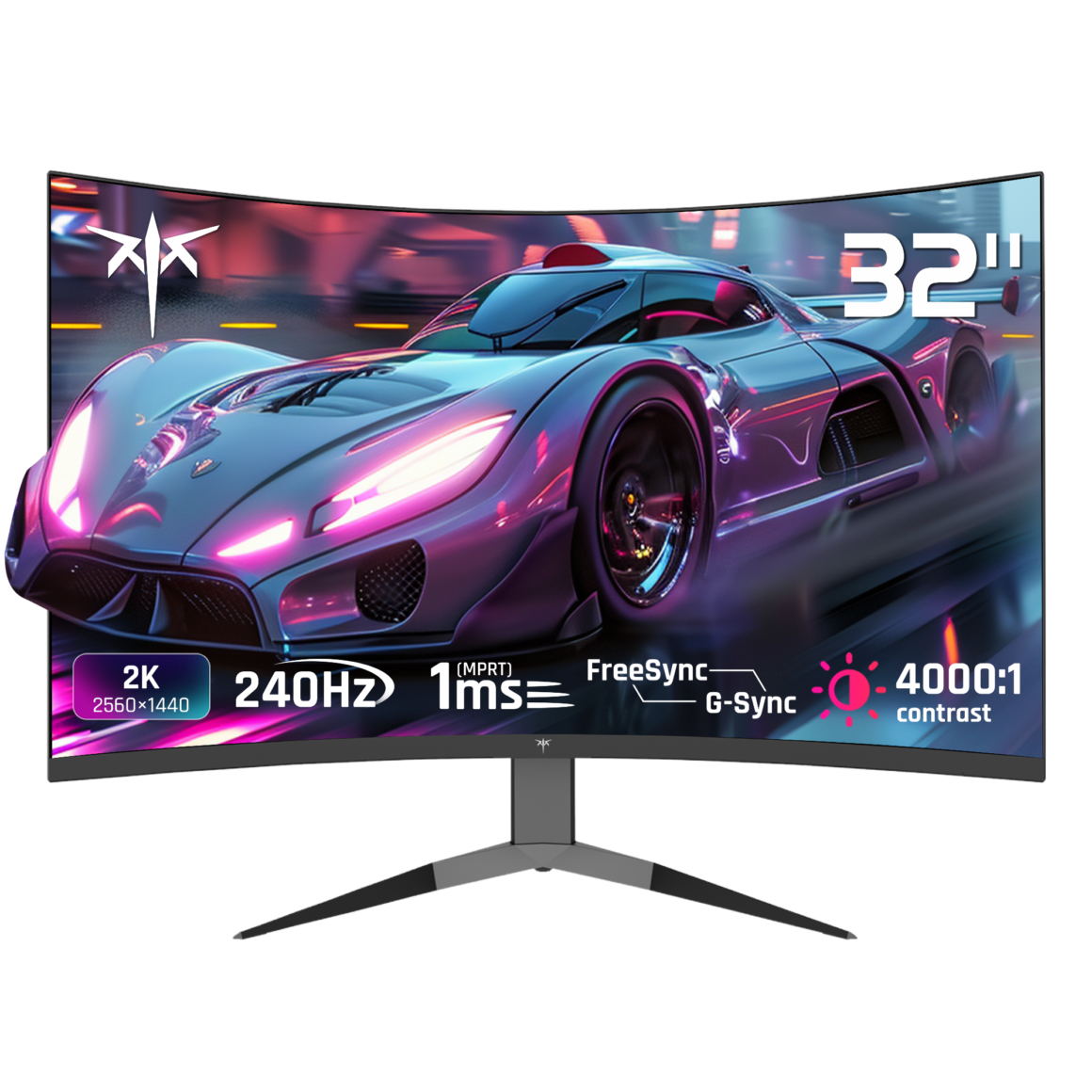
Competitive gaming demands split-second reactions where milliseconds determine victory or defeat. While skill development remains paramount, the display technology mediating between player input and visual feedback significantly influences performance outcomes. Gaming monitors evolved specifically to address the unique requirements of fast-paced interactive entertainment, incorporating features that standard displays omit or implement inadequately.
The transformation from casual to competitive gaming often coincides with upgrading display hardware. Players accustomed to standard office monitors or television screens experience immediate perceptual changes when switching to dedicated gaming displays. Reduced motion blur, eliminated screen tearing, and minimized input lag create more responsive gameplay that better reflects player intentions. Understanding these technical distinctions helps gamers make informed decisions about hardware investments that genuinely impact their competitive capabilities.
Refresh Rate Impact on Gameplay Experience
Refresh rate measures how many times per second a display updates its image. Standard monitors refresh sixty times per second, while gaming-oriented models typically operate at one hundred forty-four hertz or higher. This increased refresh frequency produces smoother motion rendering, particularly noticeable during rapid camera movements or fast character actions. The visual difference becomes immediately apparent when tracking opponents across the screen or navigating complex environments at high speed.
Higher refresh rates reduce the temporal gap between consecutive frames, providing more frequent visual updates about game state changes. In competitive scenarios where opponents appear suddenly or situations evolve rapidly, these additional visual updates supply critical information that influences tactical decisions. Players report improved target tracking and enhanced situational awareness when using high-refresh displays, advantages that translate directly into competitive performance gains.
Response Time and Motion Clarity
Response time indicates how quickly individual pixels change from one color to another. Slower response times create ghosting artifacts where moving objects leave trailing shadows, obscuring visual information during fast motion sequences. Modern gaming monitor designs achieve response times below five milliseconds, with premium models reaching one millisecond. These specifications ensure that pixel transitions complete before the next frame arrives, maintaining sharp image quality during dynamic gameplay.
Motion blur reduction technologies further enhance clarity through backlight strobing techniques that briefly darken the display between frame transitions. This approach eliminates the persistence effect where human vision blends consecutive frames, creating the perception of blur during motion. The resulting image appears sharper and more defined, making it easier to track small details like opponent movements or environmental hazards during intense gameplay moments.
Adaptive Synchronization Technology
Traditional display technology updates at fixed intervals regardless of when the graphics processor completes rendering new frames. This mismatch causes screen tearing, where portions of multiple frames appear simultaneously, creating visible horizontal breaks in the image. Adaptive sync technologies dynamically adjust monitor refresh timing to match graphics output, eliminating tearing without the input lag penalty that older solutions imposed.
Two primary standards dominate the adaptive sync landscape. Both achieve similar results through different technical approaches, synchronizing display refresh with graphics rendering to deliver tear-free visuals. The practical benefit extends beyond eliminating visual artifacts—synchronized operation reduces perceived input lag and creates a more responsive connection between player actions and screen feedback. This responsiveness proves particularly valuable in reflex-dependent gaming scenarios.
Panel Technology Trade-offs
Three primary panel types dominate gaming monitor construction, each offering distinct advantages. Twisted nematic panels deliver the fastest response times and highest refresh rates, making them popular for competitive gaming despite narrower viewing angles and inferior color reproduction. In-plane switching technology provides superior color accuracy and viewing angles but traditionally lagged behind in response performance, though recent advances have narrowed this gap considerably.
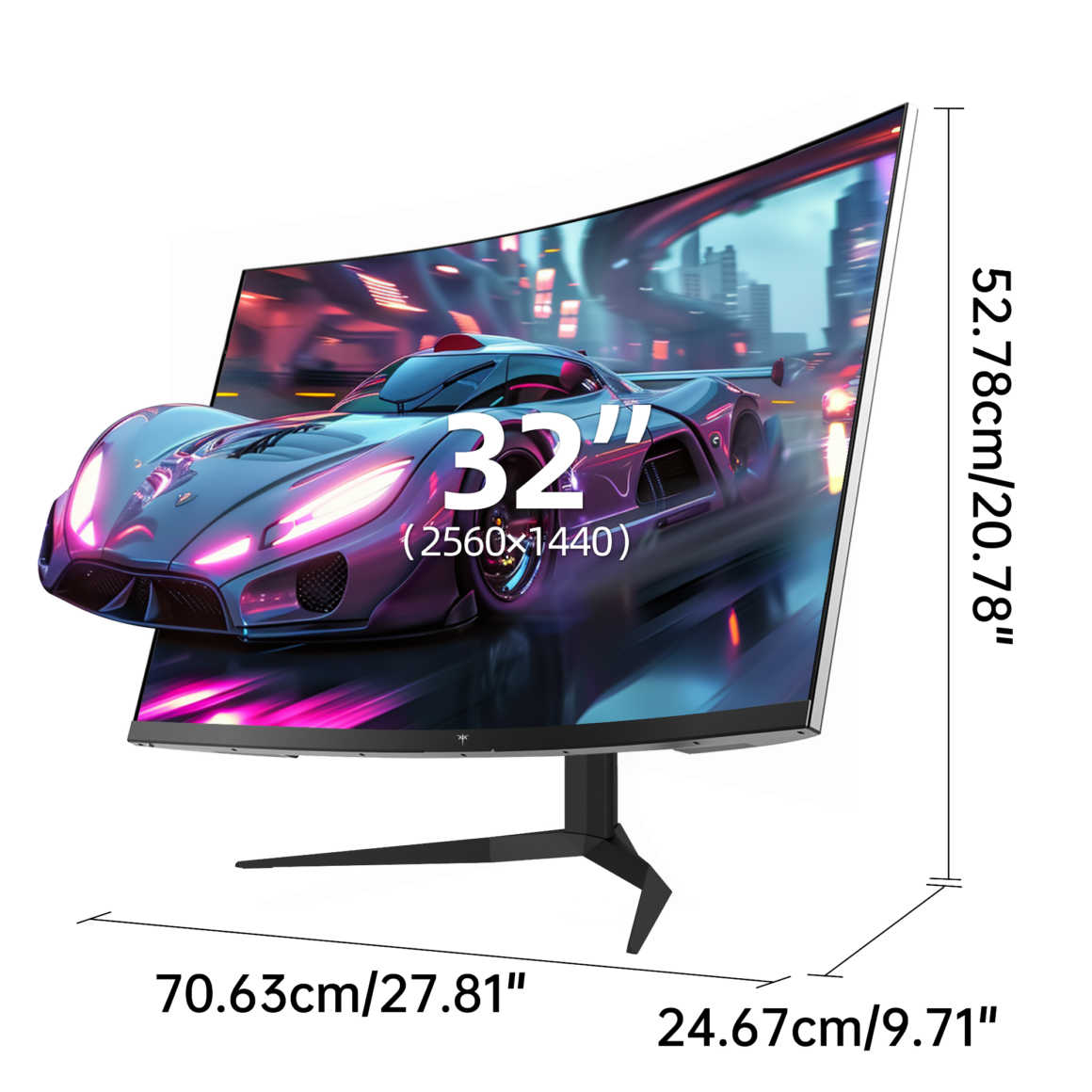 Vertical alignment panels occupy a middle ground, offering better contrast ratios than the other technologies while maintaining reasonable response times. Competitive players often prioritize response speed over color accuracy, favoring twisted nematic implementations. Content creators who split time between gaming and design work frequently prefer in-plane switching panels that serve both purposes adequately. KTC manufactures displays using various panel technologies, allowing users to select models aligned with their specific priorities and use cases.
Resolution and Performance Balancing
Display resolution determines image sharpness but demands proportionally more graphics processing power. Full HD resolution remains popular for competitive gaming because it allows graphics hardware to maintain high frame rates essential for smooth gameplay. Higher resolutions like QHD or UHD provide noticeably sharper images, particularly on larger screens, but require more powerful graphics cards to sustain playable frame rates in demanding titles.
Screen size influences the optimal resolution choice. Smaller displays under twenty-seven inches display Full HD content without obvious pixelation, while larger screens benefit from higher resolutions to maintain image sharpness. Competitive players often prioritize frame rate over visual fidelity, accepting lower resolutions to ensure their graphics hardware consistently exceeds monitor refresh capabilities. This approach guarantees that display technology rather than graphics processing becomes the limiting factor in visual responsiveness.
Ergonomic Setup for Extended Sessions
Proper monitor positioning reduces physical strain during extended gaming sessions. The display should sit at arm’s length distance, with the top edge at or slightly below eye level. This positioning minimizes neck flexion and maintains comfortable viewing angles during prolonged use. Height-adjustable stands accommodate different seating arrangements and user preferences, while tilt adjustment helps eliminate glare from room lighting.
Ambient lighting significantly affects viewing comfort and visual performance. Moderate room lighting reduces eye strain compared to gaming in darkness, where extreme brightness contrast between screen and surroundings causes fatigue. Positioning lights to avoid direct screen reflections maintains visibility without creating distracting glare. Some gamers employ bias lighting behind the monitor, which reduces perceived brightness contrast and helps maintain comfortable viewing conditions during marathon sessions.
Optimizing Your Gaming Setup
Gaming monitors represent specialized tools engineered to address the specific demands of interactive entertainment. The combination of high refresh rates, fast response times, and adaptive synchronization creates measurably superior gaming experiences compared to general-purpose displays. These improvements manifest as tangible competitive advantages in reflex-dependent scenarios where visual clarity and temporal accuracy directly influence outcomes.
Selecting an appropriate gaming monitor requires balancing multiple specifications against individual priorities and existing hardware capabilities. Players who carefully match display characteristics to their gaming style and equipment discover that proper monitor selection eliminates a significant bottleneck in their setup, allowing skill and strategy to determine results rather than hardware limitations.