
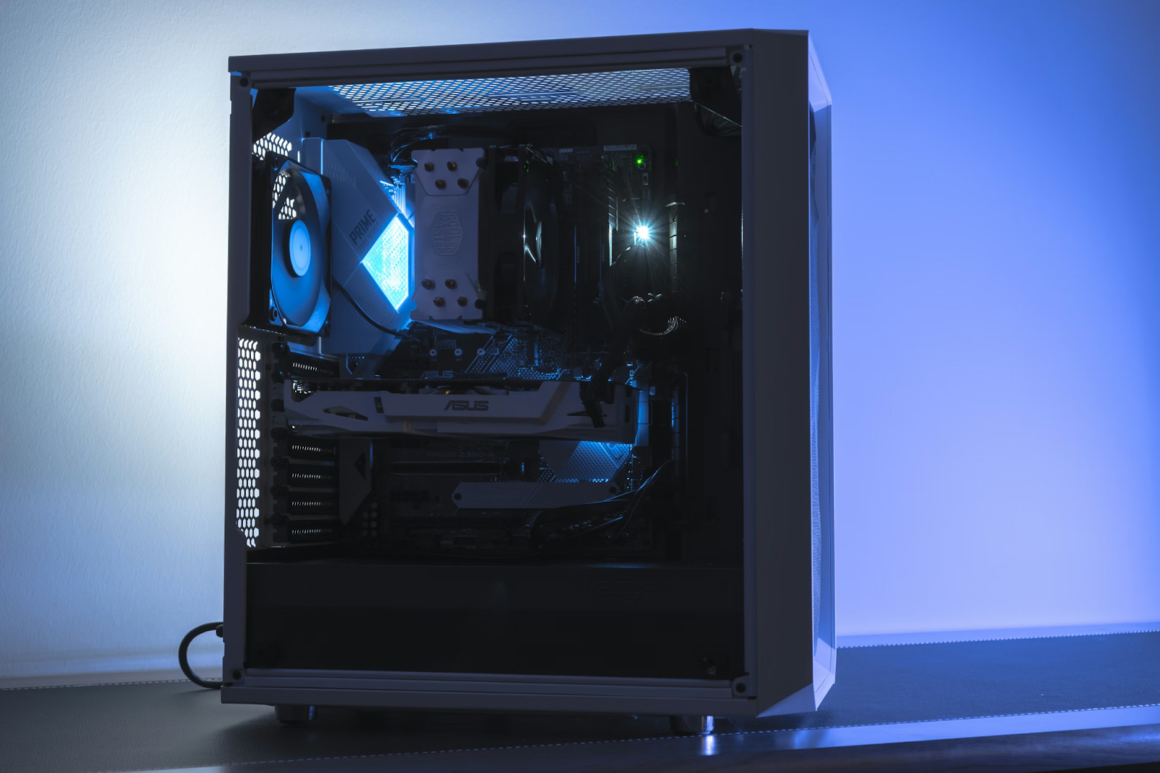
A modern gaming PC can be a strange mix of beauty and annoyance. Frames are smooth, lights glow, worlds load in seconds, and at the same time the case suddenly sounds like a small vacuum cleaner. Many builds chase raw performance first and only notice noise after the first long gaming session. A quiet system needs the opposite approach: sound and heat considered from the very beginning, not as an afterthought.
In this sense a silent build is closer to a well planned project than to a random jackpot at sankra. Careful part selection, airflow planning and realistic expectations create something calm and powerful at the same time. When each component is chosen with noise in mind, the result feels more like a piece of furniture that happens to play games, not a loud machine taking over the room.
Why Gaming PCs Get Loud So Easily
Noise is usually the language of heat. A powerful GPU and CPU generate a lot of it, and cooling systems respond by spinning faster. Stock coolers, thin cases and aggressive factory fan profiles often assume that a bit of roar is acceptable during heavy loads. For many users this is true for short sessions, but annoying during long evenings.
The sound itself comes from a few familiar sources: small fans running at high speed, air turbulence through tight grills, mechanical hard drives, coil whine under high load and sometimes cheap case panels that vibrate like thin drums. None of these problems are mysterious. All of them can be reduced with more thoughtful choices.
Planning A Quiet Build From The Start
A quiet gaming PC is mostly decided on a parts list, not in software. The case, cooling and power delivery set the ceiling for both noise and future upgrades. Building around silence means leaving a little performance on the table in exchange for sanity.
Key parts that influence overall noise level
- Case with solid panels, sound damping and clean airflow paths
- Large, slow spinning case fans instead of small high speed ones
- Quality air cooler or closed loop liquid cooler for the CPU
- GPU with a robust heatsink and semi passive fan mode
- Power supply with a quiet or hybrid fan profile
A good airflow case allows larger fans to move the same amount of air at lower speed. That simple fact changes the whole character of the machine. Cable management also matters. Fewer obstructions inside the case mean smoother air paths and less turbulence.
Cooling Strategies: Air, Liquid And Fan Curves
Air cooling remains perfectly valid for a silent gaming build. A dual tower cooler with a large fan can keep a powerful CPU under control without sounding stressed. Liquid coolers move heat away from the socket quickly, but pump noise and thin radiators can create a different kind of sound. The choice is less about fashion and more about the specific case layout and personal tolerance for mechanical hum.
Fan curves in BIOS or software are often underestimated. Many default profiles respond aggressively to small temperature spikes, producing sharp bursts of noise. A calmer curve that allows slightly higher temperatures in exchange for smoother fan ramps usually feels quieter in real use. Modern CPUs and GPUs are designed to operate safely at temperatures that might look scary to older habits, so a few degrees more with far less noise is often a very reasonable trade.
GPU behaviour is crucial. Many modern cards support zero rpm modes at low load, keeping fans stopped during desktop work and light tasks. A builder who values silence chooses models known for strong coolers rather than only high boost clocks. Sometimes a slightly lower tier GPU with better acoustics delivers a nicer overall experience than a louder flagship.
Realistic Compromises A Quiet Build Demands
Absolute silence and maximum performance rarely live in the same box. A balanced build accepts that certain compromises are worth making. For example, locking frame rates to the monitor’s refresh, instead of chasing the highest possible number, dramatically reduces GPU load and fan noise. A game capped at 90 or 120 fps often feels smoother and quieter than one bouncing between 180 and 250.
Another compromise sits in aesthetics. Glass panels, open front designs and heavy RGB can look attractive but often leak more sound. A more closed design with sound damping foam may appear simpler, yet keeps noise inside the case. Storage choices matter too. SSDs are already silent, while mechanical hard drives click and hum, especially in hot cases. Parking bulk storage in an external NAS or enclosure keeps the gaming rig calmer.
Simple Noise-Reducing Habits After The Build
Hardware is only half of the story. Daily habits either support quiet operation or fight against it. Even a well built system can become loud if left full of dust with fans locked to maximum.
Everyday practices that help a gaming PC stay quiet
- Regular dust cleaning on filters, fans and heatsinks for efficient airflow
- Sensible in game settings that avoid unnecessary ultra presets
- Frame rate caps or adaptive sync to reduce load spikes
- Separate performance profiles for work, media and gaming sessions
- Occasional checks of temperatures and fan ramps after driver or BIOS updates
These routines do not require expert skills, only a little attention every few weeks. A quiet gaming PC is not about chasing magical components. It is about knowing that sound equals heat, and then designing a system where heat can leave the case calmly instead of in a panic. With that mindset, a powerful rig can live in the same room as sleep, calls and late night focus without stealing the whole soundstage.